Navigation
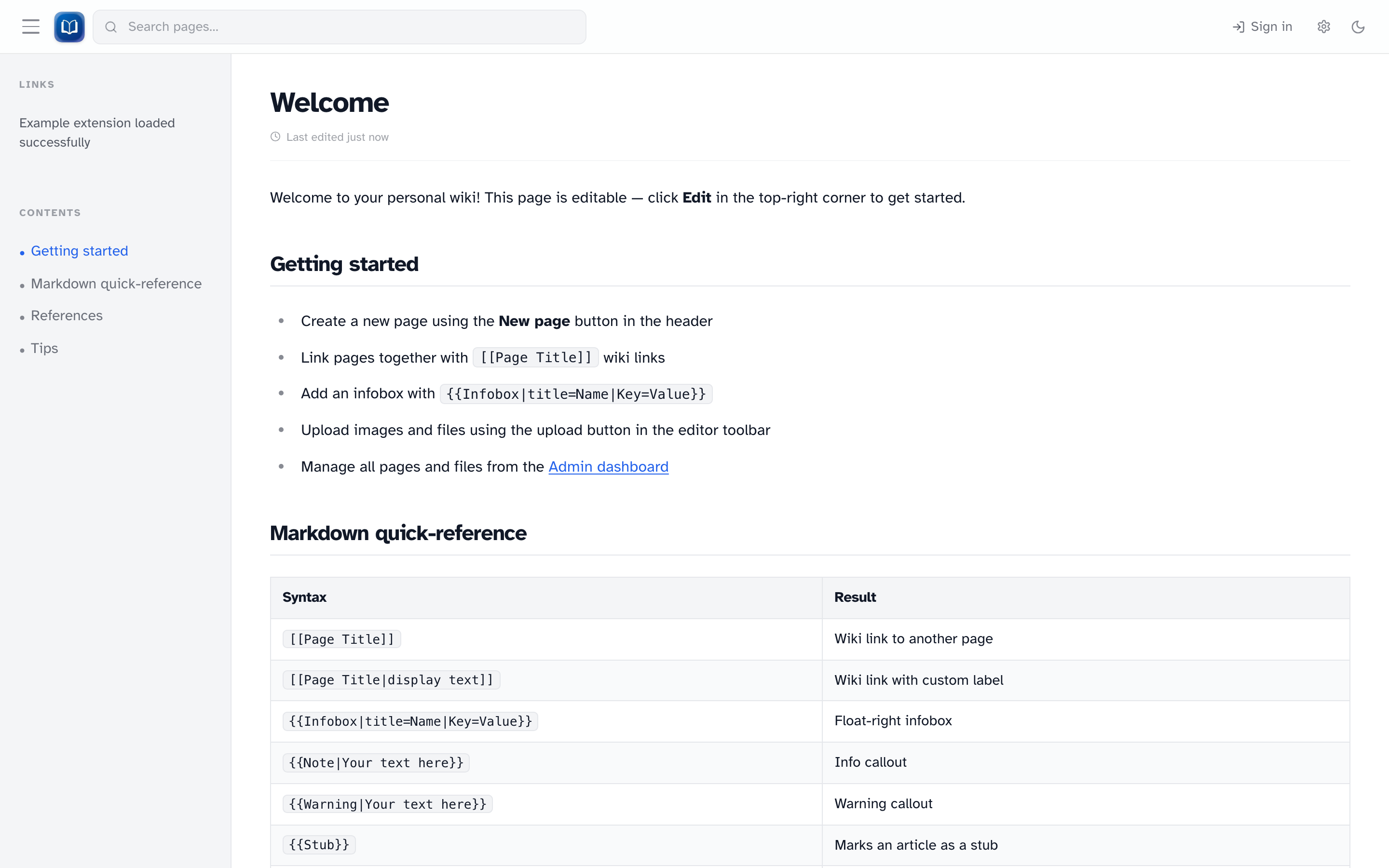 The header search bar, sign-in link, and reading settings. Article pages show a sidebar with a table of contents.
Header
The header stays at the top on every page.
| Element | What it does |
|---|---|
| Logo | Home page |
| Search | Live suggestions after three characters; press ++Enter++ for full results |
| New page | Create a page (signed-in users only) |
| Admin | Admin dashboard (admins only) |
| Sign in / Sign out | Log in or out |
| Gear icon | Reading settings — font, size, column width, Help, About |
| Theme toggle | Light or dark mode |
Sidebar (on articles only)
On the home page and wiki articles (/ and /wiki/...), you may see a left sidebar with:
- Table of contents — headings from the current article
- Extension links — optional, if an enabled extension adds them
Collapse it with the arrow on desktop. On mobile, use the hamburger menu.
Pages worth bookmarking
| Page | URL |
|---|---|
| All articles | /pages |
| All templates | /pages?ns=template |
| Recent changes | /recent |
| Built-in help | /wiki/help |
| Family trees | /family-tree |
About
Gear icon → About shows the wiki version, build date, and source commit.
Skip link
Press ++Tab++ on page load to jump to the Skip to content link.