Admin dashboard
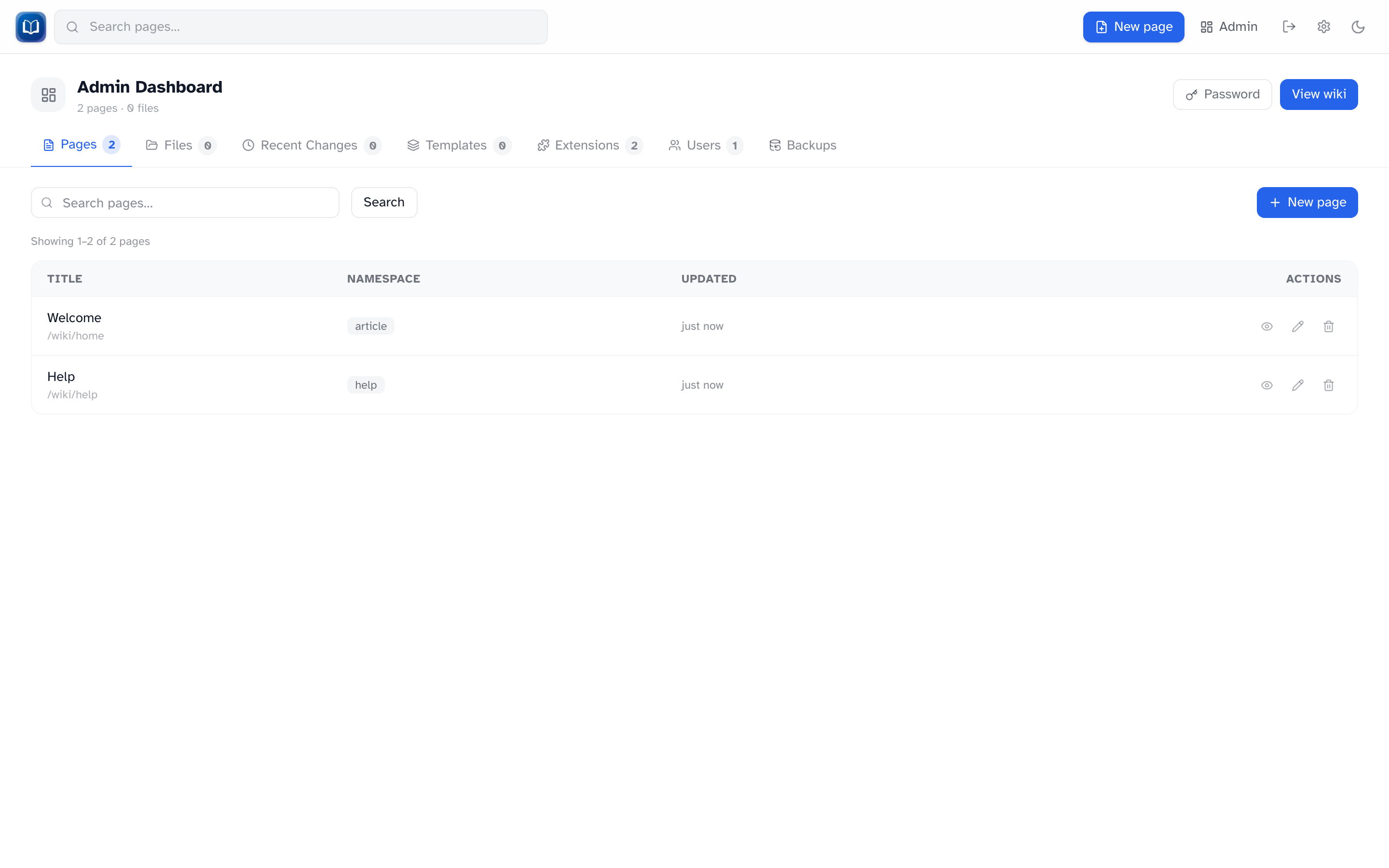 The admin dashboard with page search, listing, and actions.
The admin dashboard at /admin is for users with the admin role. Click Admin in the header after signing in.
Tabs
| Tab | What you do there |
|---|---|
| Pages | Search, view, edit, delete, and create pages |
| Files | Browse, preview, rename, and delete uploads |
| Recent Changes | Site-wide edit feed + revision retention settings |
| Templates | Manage template-namespace pages |
| Extensions | Enable or disable bundled extensions |
| Users | Create, promote/demote, and delete accounts |
| Backups | Export and import the wiki |
Pages
Search and paginate through all pages (100 per page).
| Action | Notes |
|---|---|
| View / Edit | Open the page |
| Delete | Removes the page |
| New page | Opens the editor |
Files
See Uploads for rename and delete behavior.
Recent Changes
Same feed as /recent, plus revision retention controls inline.
Templates
Lists template-namespace pages. New page opens the editor with namespace set to template.
Change password
The Password link in the admin header goes to /admin/change-password. Any signed-in user can use that URL, not just admins.
Wiki name
The name shown in the admin UI and backups comes from the WIKI_NAME environment variable, set by whoever hosts the wiki.